Yapper for four or more colleagues
Pick teams and take turns describing words while teammates guess against the clock. Choose this for a social space where talking and laughing are welcome. One phone is enough.
LESS SMALL TALK. BETTER CLUES.
A workplace icebreaker works best when people actually want to join in. For a lunch break or an office social, choose an activity with a short explanation, an easy stopping point and no pressure to share anything personal.
Yapper is one option for four or more willing colleagues: a team word-guessing game played together on one phone. It gives the group a shared task, with words, a timer and scores handled by the app.
Pick teams and take turns describing words while teammates guess against the clock. Choose this for a social space where talking and laughing are welcome. One phone is enough.
One person thinks of a familiar object. The others share twenty yes-or-no questions to identify it. There is no shouting or equipment to organise, and a small group can join in.
Choose a theme such as food. Each person names an item beginning with the final letter of the previous answer. Agree on whether repeated answers count and stop whenever the break ends.
This is a suggested way to spend a break, not a claim that every Yapper game takes ten minutes. Set a separate reminder if you need to be back at a particular time.
The Yapper rules cover skips, scoring and optional Chaos Mode. Keep your first demonstration in the normal mode so the basics are clear.
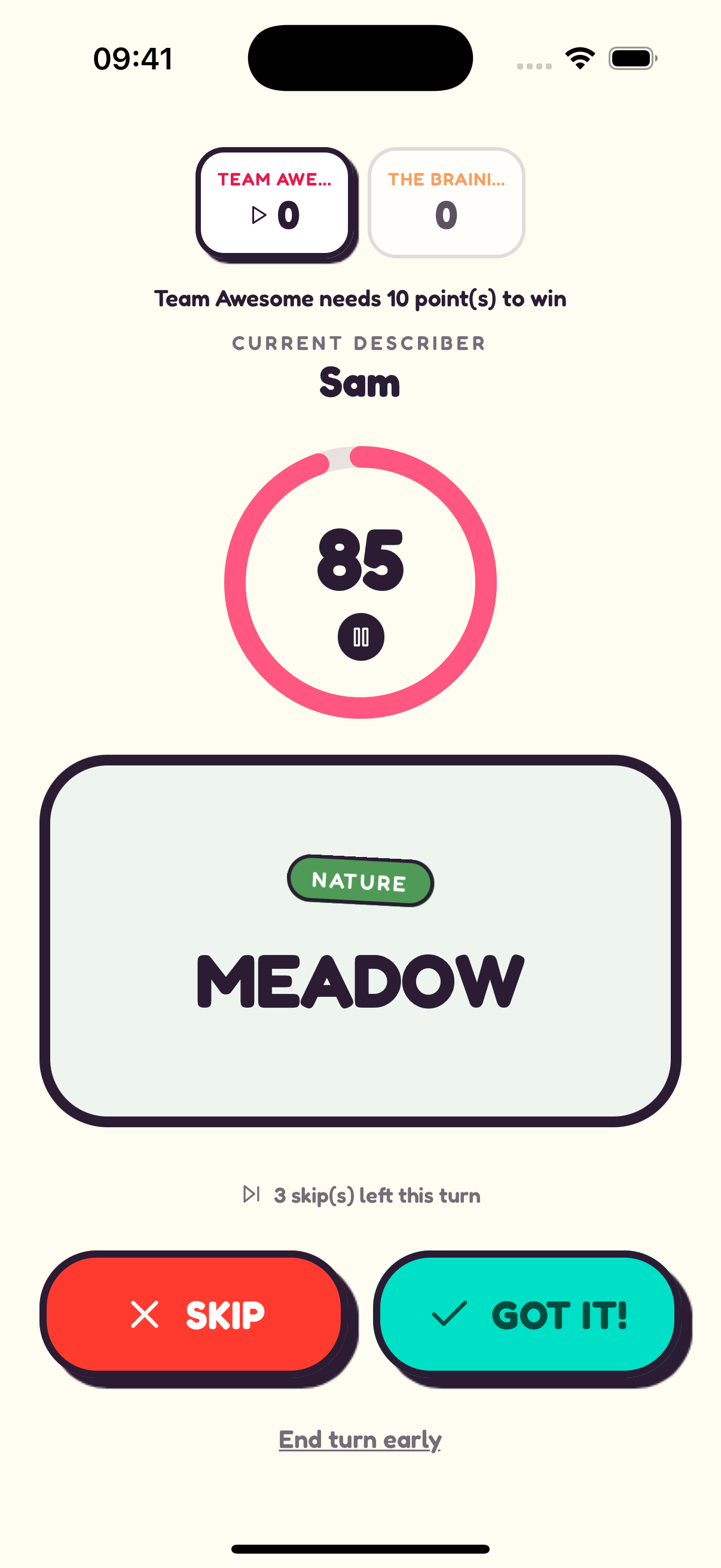
SEE IT. DESCRIBE IT. GUESS IT.
Skip the long introduction at lunch. Use “Meadow” as a practice answer so colleagues can try describing and guessing before you start keeping score.
“An open field full of grass and wildflowers.”
Make sure everyone understands Got it! and Skip before starting. Pick familiar core topics together and agree when the break ends; finishing a match is optional.
Players share the host’s phone. Each teammate does not need their own download to take part.
This guide is for colleagues together in person. Yapper does not provide remote multiplayer rooms.
The core game is free with ads. Optional purchases are available, but a paid pack is not needed for the first round.
Download Yapper on iPhone or Android. Four or more players, one shared phone. Free with ads and optional in-app purchases.